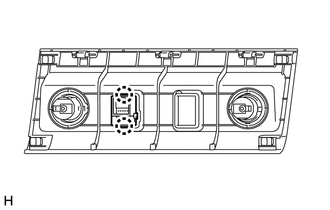
Components COMPONENTS ILLUSTRATION 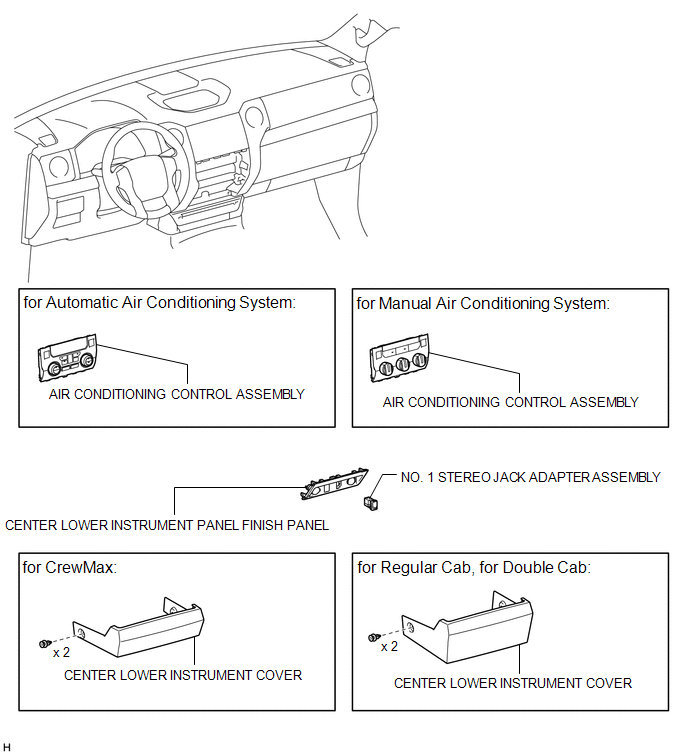 Installation INSTALLATION PROCEDURE 1. INSTALL NO. 1 STEREO JACK ADAPTER ASSEMBLY (a) Attach the 2 claws to install the No. 1 stereo jack adapter assembly. 2. INSTALL AIR CONDITIONING CONTROL ASSEMBLY
3. INSTALL CENTER LOWER INSTRUMENT COVER Removal REMOVAL PROCEDURE 1. REMOVE CENTER LOWER INSTRUMENT COVER
2. REMOVE AIR CONDITIONING CONTROL ASSEMBLY 3. REMOVE NO. 1 STEREO JACK ADAPTER ASSEMBLY
|
Toyota Tundra Service Manual > Engine Immobiliser System (w/o Smart Key System): Theft Deterrent System Presence Detection (B279C)
DESCRIPTION This code is stored when an ECM that is incompatible with the engine immobiliser system is installed to the vehicle. DTC No. Detection Item DTC Detection Condition Trouble Area Note B279C Theft Deterrent System Presence Detection An ECM that is incompatible with the engine immobiliser sy ...