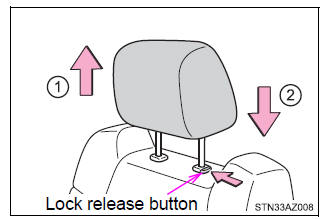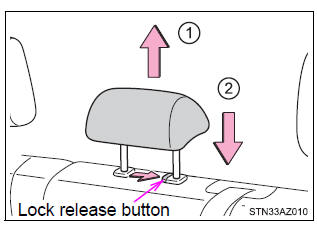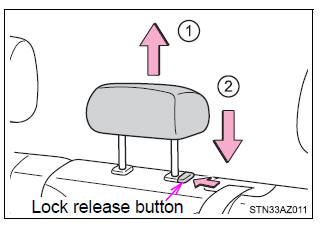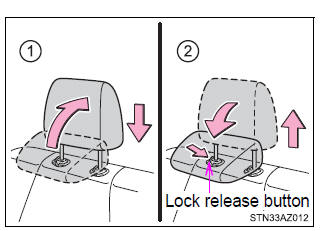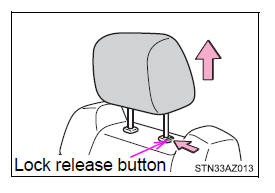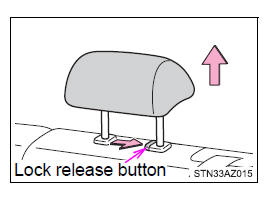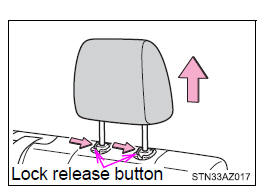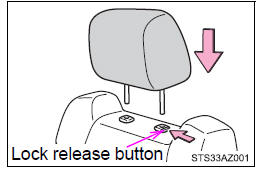
Head restraints are provided for all seats.
Front seats
Rear seats ■ Center seat
Double Cab models
CrewMax models
■ Outer seat
■Removing the head restraints Front seats and center rear seat (CrewMax models) Pull the head restraint up while pressing the lock release button.
Center rear seat (Double Cab models) Pull the head restraint up while pressing the lock release button.
Outer rear seat Pull the head restraint up while pressing both lock release buttons.
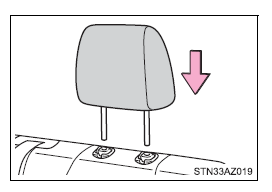
■Installing the head restraints Front seats and center rear seat (CrewMax models) Align the head restraint with the installation holes and push it down to the lock position. Press and hold the lock release button when lowering the head restraint.
Center rear seat (Double Cab models) Align the head restraint with the installation holes and push it down to the lock position. Press and hold the lock release button when lowering the head restraint.
Outer rear seat Align the head restraint with the installation holes and push it down to the lock position.
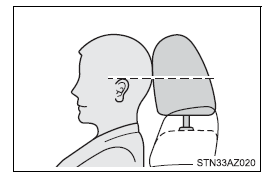
■Adjusting the height of the head restraints (front seats) Make sure that the head restraints are adjusted so that the center of the head restraint is closest to the top of your ears.
■Adjusting the front center seat (bench type seat) and rear center seat head restraints Always raise the head restraint one level from the stowed position when using.
|
Toyota Tundra Service Manual > Forward Recognition Camera System: Terminals Of Ecu
TERMINALS OF ECU NOTICE: DTCs may be output when connectors are disconnected during inspection. Therefore, be sure to clear the DTCs using the Techstream once the inspection has been completed. Do not apply excessive force to the W9 forward recognition camera connector. CHECK FORWARD RECOGNITION CAM ...