Components COMPONENTS ILLUSTRATION 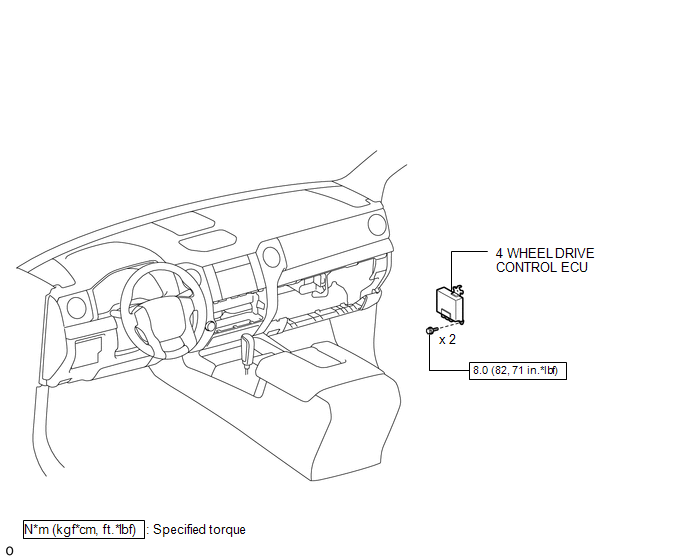 Installation INSTALLATION PROCEDURE 1. INSTALL 4 WHEEL DRIVE CONTROL ECU (a) Connect the 2 connectors.
2. INSTALL CLEARANCE WARNING ECU WITH BRACKET (See page
3. INSTALL LOWER INSTRUMENT PANEL FINISH PANEL SUB-ASSEMBLY RH
4. CONNECT CABLE TO NEGATIVE BATTERY TERMINAL NOTICE: When disconnecting the cable, some systems need to be initialized after the cable is reconnected (See page
Removal REMOVAL PROCEDURE 1. PRECAUTION NOTICE: After
turning the ignition switch off, waiting time may be required before
disconnecting the cable from the negative (-) battery terminal.
Therefore, make sure to read the disconnecting the cable from the
negative (-) battery terminal notice before proceeding with work (See
page 2. DISCONNECT CABLE FROM NEGATIVE BATTERY TERMINAL NOTICE: When disconnecting the cable, some systems need to be initialized after the cable is reconnected (See page
3. REMOVE LOWER INSTRUMENT PANEL FINISH PANEL SUB-ASSEMBLY RH
4. REMOVE CLEARANCE WARNING ECU WITH BRACKET (See page
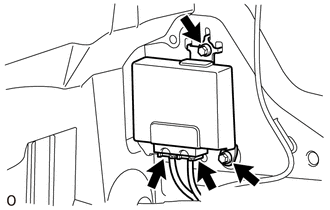
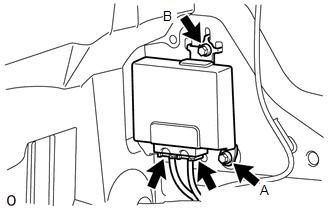
5. REMOVE 4 WHEEL DRIVE CONTROL ECU
(b) Remove the 2 bolts and 4 wheel drive control ECU. NOTICE:
|
Toyota Tundra Service Manual > Navigation System: Black Screen
PROCEDURE 1. CHECK DISPLAY SETTING (a) Check that the display is not in screen off mode. OK: The display setting is not in screen off mode. NG CHANGE SCREEN TO SCREEN ON MODE OK 2. CHECK IMAGE QUALITY SETTING (a) Check that the screen color quality can be set. OK: Setting is possible. OK SET SCREEN ...

 )