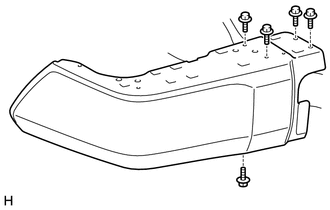
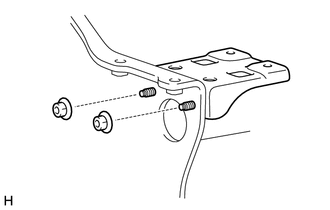
DISASSEMBLY PROCEDURE 1. REMOVE REAR BUMPER PLATE LH
2. REMOVE REAR BUMPER PLATE RH HINT: Use the same procedure described for the LH side. 3. REMOVE REAR BUMPER PAD SUB-ASSEMBLY LH
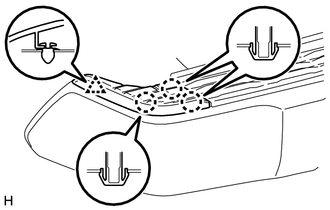
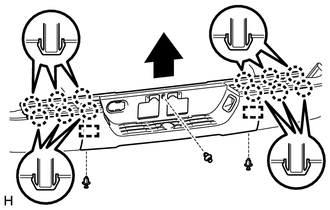
(b) Detach the 12 claws and 2 guides and remove the rear bumper pad sub-assembly LH as shown in the illustration. 4. REMOVE LICENSE PLATE LIGHT ASSEMBLY LH
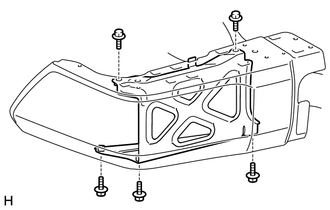
5. REMOVE LICENSE PLATE LIGHT ASSEMBLY RH HINT: Use the same procedure described for the LH side. 6. REMOVE REAR BUMPER BAR CORNER REINFORCEMENT LH
7. REMOVE REAR BUMPER BAR CORNER REINFORCEMENT RH HINT: Use the same procedure described for the LH side. 8. REMOVE NO. 2 ULTRASONIC SENSOR (w/ Intuitive Parking Assist System)
9. REMOVE NO. 2 ULTRASONIC SENSOR RETAINER (w/ Intuitive Parking Assist System)
10. REMOVE NO. 3 ULTRASONIC SENSOR (w/ Intuitive Parking Assist System)
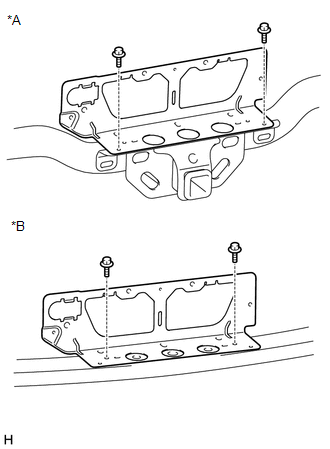
11. REMOVE NO. 2 FRAME WIRE (a) w/ Towing Package: (1) Detach all the clamps and remove the No. 2 frame wire from the receiver hitch bracket sub-assembly. 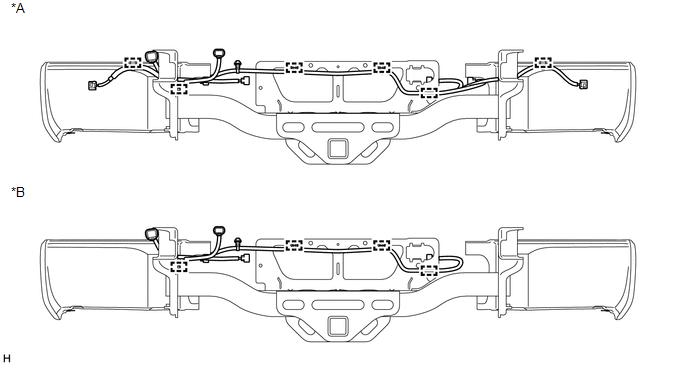 Text in Illustration Text in Illustration
(b) w/o Towing Package: (1) Detach all the clamps and remove the No. 2 frame wire from the rear bumper reinforcement sub-assembly. 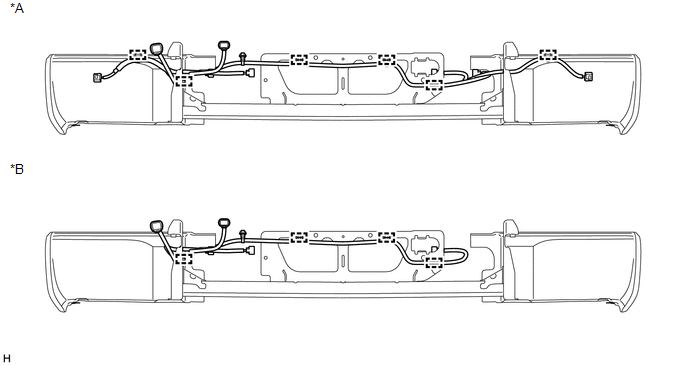 Text in Illustration Text in Illustration
12. REMOVE REAR BUMPER PLATE
13. REMOVE REAR BUMPER BAR LH
14. REMOVE REAR BUMPER BAR RH HINT: Use the same procedure described for the LH side. 15. REMOVE REAR BUMPER UPPER COVER LH
16. REMOVE REAR BUMPER UPPER COVER RH HINT: Use the same procedure described for the LH side. |
Toyota Tundra Service Manual > Power Tilt And Power Telescopic Steering Column System: IG Power Source Circuit
DESCRIPTION When the ignition switch is turned to on, the IG power source circuit supplies positive (+) voltage to the multiplex tilt and telescopic ECU. The multiplex tilt and telescopic ECU also receives ignition switch signals via this circuit. WIRING DIAGRAM CAUTION / NOTICE / HINT HINT: Inspect ...