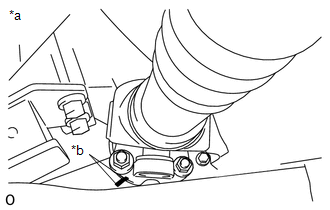
REMOVAL PROCEDURE 1. REMOVE PROPELLER SHAFT HEAT INSULATOR 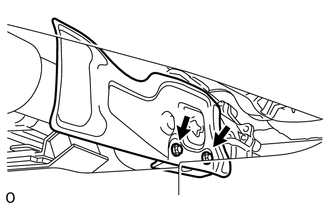 (a) Remove the 2 bolts and heat insulator from the heat insulator bracket. 2. REMOVE PROPELLER SHAFT HEAT INSULATOR BRACKET SUB-ASSEMBLY (a) Remove the 2 bolts and heat insulator bracket from the crossmember. 3. REMOVE FRONT PROPELLER SHAFT ASSEMBLY 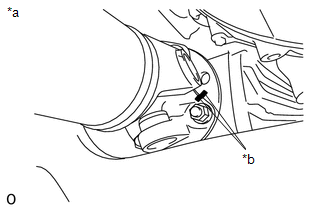 (a) for Front Differential Side: (1) Place matchmarks on the differential and propeller shaft flange. Text in Illustration
(2) Remove the 4 nuts, 4 washers and disconnect the propeller shaft from the differential. NOTICE: Use a rope to suspend the front edge of the propeller shaft.
(c) Remove the propeller shaft from the transfer flange. |
Toyota Tundra Service Manual > Vsc Off Switch: Removal
REMOVAL PROCEDURE 1. REMOVE INSTRUMENT SIDE PANEL LH 2. REMOVE FRONT DOOR SCUFF PLATE LH (a) for Double Cab: (See page ) (b) for CrewMax: (See page ) 3. REMOVE COWL SIDE TRIM BOARD LH 4. REMOVE LOWER INSTRUMENT PANEL FINISH PANEL SUB-ASSEMBLY LH 5. REMOVE NO. 2 SWITCH HOLE BASE 6. REMOVE VSC OFF SWI ...