REMOVAL PROCEDURE 1. REMOVE SHIFT LEVER KNOB SUB-ASSEMBLY (for Floor Shift Type)
2. REMOVE UPPER REAR CONSOLE PANEL SUB-ASSEMBLY (for Floor Shift Type)
3. REMOVE UPPER CONSOLE PANEL SUB-ASSEMBLY (for Floor Shift Type)
4. REMOVE REAR CONSOLE END PANEL SUB-ASSEMBLY (for Floor Shift Type)
5. REMOVE CONSOLE BOX CARPET (for Floor Shift Type)
6. REMOVE REAR CONSOLE BOX ASSEMBLY (for Floor Shift Type)
7. REMOVE FRONT CONSOLE BOX (for Floor Shift Type)
8. REMOVE CENTER LOWER INSTRUMENT COVER (for Column Shift Type)
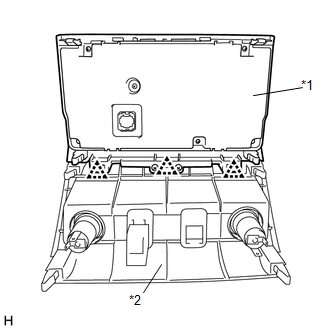
9. REMOVE AIR CONDITIONING CONTROL ASSEMBLY (HAZARD WARNING SWITCH) (a) Put protective tape around the air conditioning control assembly (hazard warning switch). (b) Using moulding remover B, detach the 8 clips, 2 claws and guide. (c) Disconnect each connector and remove the air conditioning control assembly (hazard warning switch) with the center lower instrument panel finish panel. 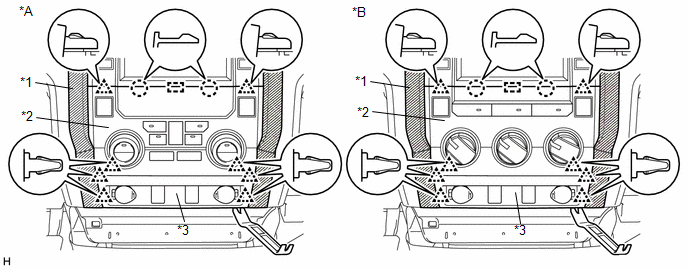 Text in Illustration Text in Illustration
|
Toyota Tundra Service Manual > Fuel Pump: Removal
REMOVAL PROCEDURE 1. REMOVE FUEL TANK ASSEMBLY Click here 2. REMOVE FUEL SUCTION WITH PUMP AND GAUGE TUBE ASSEMBLY (a) Remove the 2 tube joint clips and pull out the 2 fuel tank tubes. NOTICE: Remove any dirt and foreign matter on the fuel tube joint before performing this work. Do not allow any scr ...