REMOVAL PROCEDURE 1. PRECAUTION NOTICE: After
turning the ignition switch off, waiting time may be required before
disconnecting the cable from the battery terminal. Therefore, make sure
to read the disconnecting the cable from the battery terminal notice
before proceeding with work (See page 2. DISCONNECT CABLE FROM NEGATIVE BATTERY TERMINAL 3. REMOVE EXHAUST MANIFOLD SUB-ASSEMBLY RH (a) Remove the exhaust manifold RH (See page
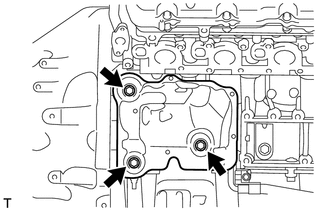
4. REMOVE STARTER COVER
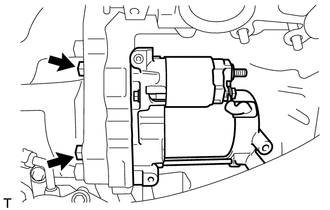
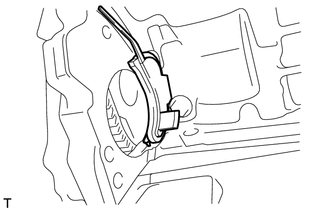
5. REMOVE STARTER ASSEMBLY
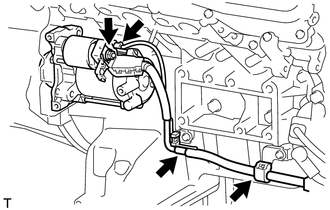
(b) Disconnect the starter connector. (c) Remove the nut and disconnect the starter wire.
|
Toyota Tundra Service Manual > Pre-collision System: Diagnostic Trouble Code Chart
DIAGNOSTIC TROUBLE CODE CHART Pre-collision System DTC No. Detection Item Link C1A02 Vehicle Information Not Obtained C1A10 Front Radar Sensor C1A11 Front Radar Sensor Incorrect Axial Gap C1A14 Front Radar Sensor Beam Axis Not Adjusted C1A46 Yaw Rate Sensor C1A47 Steering Angle Sensor C1A4A Skid Con ...